> For the complete documentation index, see [llms.txt](https://docs.neodove.com/llms.txt). Markdown versions of documentation pages are available by appending `.md` to page URLs; this page is available as [Markdown](https://docs.neodove.com/product-updates/september-2023/product-update-icon-on-dashboard.md).
# Product update icon on dashboard
Product updates are an important aspect of any product, and keeping up to date with that is necessary for the users in order to leverage the maximum potential of the product.
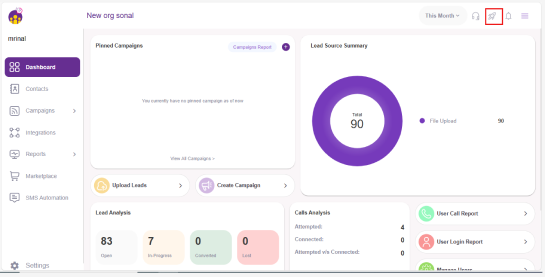
Users having access to the admin portal can access the product updates directly from a button. Clicking on this icon will lead to the latest updates of the product.
**Why this update?**
With the help of this update the user can navigate and see all the updates in the product with just one click.